GitLab Resources
You create the GitLab projects you need in the course yourself, one for each of the four assignments and one for the project, when you actually need them.
Create your resources via ActionHub
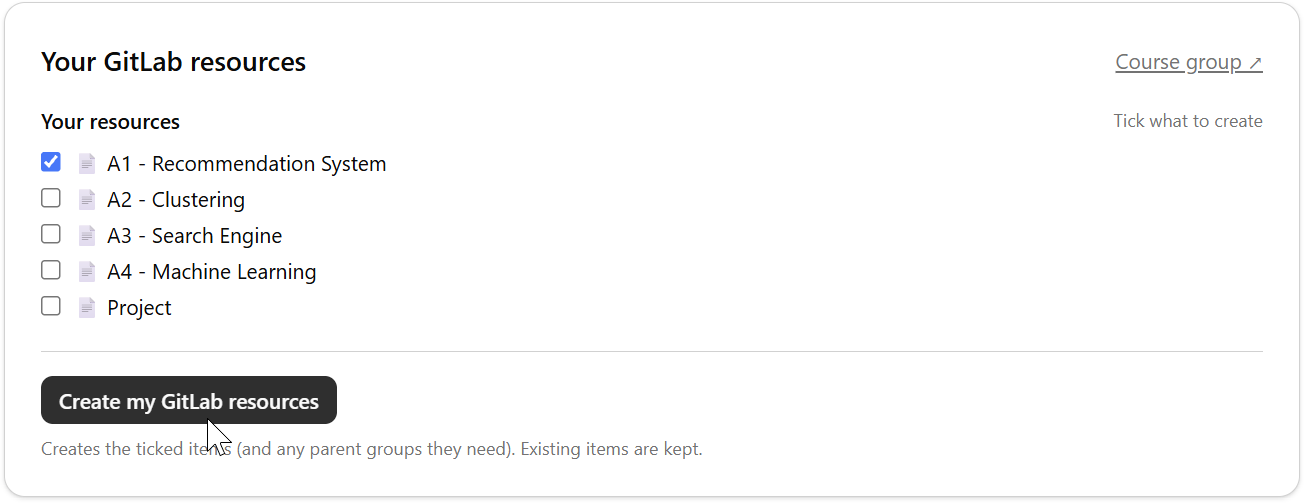
Section titled “Create your resources via ActionHub”The resources are created via ActionHub, where you choose “GitLab Resources” for the course 2dv515. You can also go directly to the course’s GitLab resources page: actionhub.camp.lnu.se/courses/2dv515/gitlab.
Check the resource or resources you need right now and click Create my GitLab resources. Resources you have already created are not affected; only what you checked is created (along with any groups needed to hold it). The project is created in your own group on GitLab, under gitlab.lnu.se/2dv515/student/, where you clone it and push your work.
When you’re done
Section titled “When you’re done”Each project is set up for submission through a merge request. When you have fulfilled the requirements, follow Submit an assignment as a merge request.

